Skip to content
MCP Server Platform Engineers

The 10 Best MCP Servers for Platform Engineers in 2025

Author:
Alex Cho | Nov 17, 2025
Topics

Share This:

Key Takeaways


  • MCP servers streamline platform engineering workflows by enabling natural language interactions with infrastructure, CI/CD, observability, and incident management tools directly from your IDE—reducing context switching and accelerating common platform operations.
  • Enterprise backing from Microsoft, AWS, and HashiCorp validates MCP as production-ready technology—these companies are actively developing MCP servers for their core infrastructure tools and using them internally for daily platform engineering workflows.
  • Different MCPs serve different platform responsibilities: StackGen and Terraform for infrastructure lifecycle, GitHub and Azure DevOps for CI/CD automation, Kubernetes and Prometheus for observability, PagerDuty for incident coordination, AWS Billing for cost optimization.
  • Platform teams can automate repetitive workflows through MCP servers—from investigating production incidents to provisioning compliant infrastructure, monitoring deployments, and coordinating on-call responses—all without leaving the development environment.
  • Start with 2-3 MCP servers addressing your team's biggest bottlenecks rather than implementing all 10 simultaneously—most platform teams see measurable productivity improvements within weeks.

Introduction


Platform engineering teams shoulder responsibility for the entire development lifecycle: provisioning infrastructure, maintaining CI/CD pipelines, monitoring system health, responding to incidents, optimizing cloud costs, and ensuring compliance. Each of these domains traditionally requires specialized tools with distinct interfaces—AWS Console for infrastructure, GitHub for CI/CD, Datadog for observability, PagerDuty for incidents. Platform engineers spend substantial time context-switching between these tools, running manual commands, navigating web interfaces, and translating information across systems.

Model Context Protocol (MCP) servers are transforming this workflow by enabling platform engineers to interact with all these systems through natural language commands directly from their development environments. Instead of opening multiple browser tabs and running terminal commands across different tools, platform engineers can ask their AI assistant to "show me failing pods and their recent logs," "deploy this infrastructure blueprint to staging," or "who's on-call for database issues tonight"—all without leaving their IDE.

Major technology companies recognize this shift: Microsoft's development teams report that MCP servers "solve real problems and speed up common development tasks" when integrated with AI assistants, while AWS introduced specialized MCP servers for Amazon ECS, EKS, and Serverless applications. The result is faster incident response, reduced context switching, streamlined infrastructure operations, and better enforcement of governance policies without creating bottlenecks.

Platform teams using MCP servers report spending less time on repetitive operational tasks and more time on strategic initiatives like building reusable infrastructure patterns, improving developer experience, and optimizing system architecture. Learn more about the benefits of MCP servers for platform engineering.

This article examines the best MCP servers for platform engineers in 2025, highlighting tools from industry leaders like Microsoft, AWS, and HashiCorp alongside platforms designed specifically for infrastructure automation. Whether you're managing Kubernetes clusters, orchestrating CI/CD pipelines, coordinating incident response, or optimizing cloud costs, these MCP servers deliver practical capabilities that streamline daily platform engineering workflows.

How We Evaluated These MCP Servers


Our evaluation focused on MCP servers backed by established technology companies and active open-source communities, prioritizing tools that platform engineering teams can confidently adopt in production environments. Microsoft's development teams report using MCP servers extensively in their daily work, noting that these tools "solve real problems and speed up common development tasks" when integrated with AI assistants. Similarly, AWS introduced specialized MCP servers for Amazon ECS, EKS, and Serverless applications, demonstrating that major cloud providers are investing in MCP as foundational technology for AI-assisted infrastructure management.

We evaluated each MCP based on:

  • Enterprise backing and community support: Tools from Microsoft, AWS, and HashiCorp benefit from sustained development and professional support.
  • Integration ease: Setup complexity and compatibility with popular IDEs. (VS Code, Cursor, Claude Code)
  • Real-world platform engineering use cases: Alignment with daily workflows like deployment automation, compliance checking, incident response, and cost monitoring.
  • Active development: Recent commits, responsive maintainers, and growing adoption signals.
  • Documentation quality: Clear setup guides, API references, and troubleshooting resources.
The 10 MCPs featured represent tools that platform engineering teams can implement immediately, backed by organizations committed to long-term MCP ecosystem development. HashiCorp positions their MCP servers as "a critical new interface layer between trusted automation systems and emerging AI ecosystems," designed to enable enterprise developers to interact with infrastructure using natural language while maintaining secure, auditable operations.

1. StackGen MCP

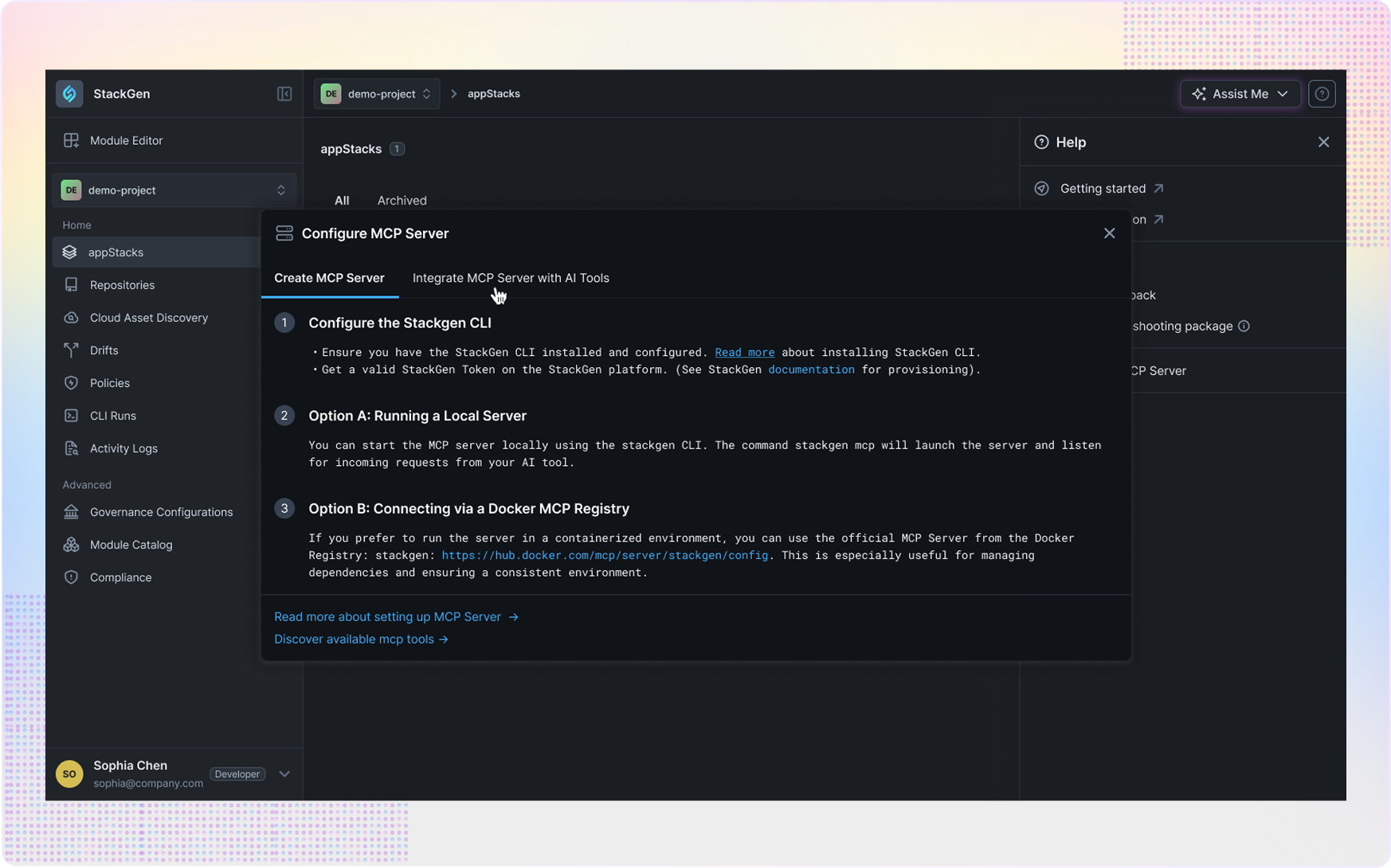
stackgen-1 StackGen MCP is a comprehensive infrastructure lifecycle management platform built specifically for platform engineering teams who need to balance developer velocity with enterprise governance. Instead of manually reviewing every infrastructure request and running approval workflows, platform engineers can create pre-approved blueprints that encode security and compliance requirements, then enable developers to self-serve infrastructure provisioning safely.

Key Features:

  • 25+ MCP Tools for Infrastructure Lifecycle: Complete toolset covering blueprint selection, variable configuration, Terraform plan/apply operations, drift detection, and deployment analytics—all accessible through natural language commands in your IDE.
  • Pre-Approved Infrastructure Blueprints: Platform teams create reusable infrastructure patterns using StackGen's visual studio, encoding security policies, compliance requirements, and best practices that developers can deploy with confidence.
  • Real-Time Compliance Feedback: Platform engineers and developers receive instant feedback on compliance violations directly in their IDE while context is fresh, eliminating costly late-stage remediation cycles that waste hours.
  • Multi-IDE Support: Works seamlessly with Claude Code, VS Code with GitHub Copilot, Windsurf, and Cline—meeting platform engineers and developers where they already work.
  • Brownfield Infrastructure Support: Integrates with your existing Terraform modules and provides built-in modules for common cloud resources if you haven't built your own yet.
  • Aiden AI DevOps Engineer: StackGen's AI agent handles the actual deployment, governance checks, healing, and cloud provisioning after developers select compliant blueprints.
Best Use Cases for Platform Engineers: StackGen MCP excels when platform teams need to scale infrastructure access without creating security risks or losing control over standards. Organizations with 50+ developers, multi-cloud deployments, and strict compliance requirements benefit most from StackGen's blueprint-driven approach. Instead of reviewing every infrastructure request manually, platform engineers build blueprints once that encode their expertise, then enable developers to self-serve infrastructure deployment safely.

The platform particularly shines for teams dealing with infrastructure deployment bottlenecks where developers wait days for DevOps approval, organizations requiring consistent compliance enforcement across all infrastructure deployments, and companies where infrastructure request queues consume 40-60% of platform team capacity.

Platform Engineering Workflow: A platform engineer building self-service capabilities for their organization:

    1. Create Infrastructure Blueprint using StackGen's visual studio
    • Define: PostgreSQL database + Redis cache + API gateway pattern
    • Encode: Security policies (encryption at rest, approved instance types, network isolation)
    • Configure: Variable options (database size, Redis configuration, API settings)
    • Validate: Compliance checks against organizational policies
    2. Publish Blueprint to organization's catalog
    • Make available through StackGen MCP in all supported IDEs
    • Set permissions for which teams can use this blueprint
    • Document use cases and configuration options
    3. Monitor Usage across development teams
    • Track: How many times blueprint deployed, which configurations chosen
    • Identify: Common customization requests indicating need for blueprint variants
    • Optimize: Blueprint based on usage patterns and feedback
Throughout this process, platform engineers eliminate repetitive manual reviews while maintaining governance. Each blueprint deployment is automatically audited, compliant, and consistent—freeing platform team capacity for higher-value work.


Developer Experience Using StackGen MCP Watch StackGen MCP demo video. A developer working on a new microservice needs infrastructure. Instead of filing a ticket, they:

    1. Open their IDE (VS Code, Cursor, Claude Code)
    2. Ask: "List available StackGen blueprints for microservice infrastructure"
    3. Select: "microservice-standard-v2" blueprint (pre-approved by platform team)
    4. Specify: Database size, Redis configuration, API gateway settings through natural language
    5. Review: Terraform plan showing exactly what will be deployed
    6. Confirm: "Deploy to staging AWS account"
    7. Receive: Deployment confirmation with resource URLs in 3-5 minutes
If the developer selects a configuration that violates organizational policies, they see the violation immediately with suggestions for compliant alternatives—before any deployment attempt.

Limitations to Consider: StackGen MCP requires platform teams to invest upfront time creating infrastructure blueprints, though teams report this investment pays dividends quickly as developers self-serve infrastructure hundreds of times from each blueprint. The platform works best when integrated with existing Terraform workflows, so teams without infrastructure-as-code maturity may need foundational work before adoption. StackGen MCP also requires developers to have local CLI access to their cloud environments for the MVP release, though future versions will support GitHub Actions-based deployment workflows for production.

Looking to eliminate infrastructure deployment bottlenecks? Read our launch announcement, explore the product page, or book a demo to see how StackGen MCP can reduce deployment time from days to minutes. See case studies from teams using StackGen MCP.

2. Terraform MCP Server (HashiCorp)

stackgen-1 The Terraform MCP Server from Hashi`Corp brings infrastructure as code management directly into AI-powered development workflows. For platform engineers who rely on Terraform for infrastructure provisioning, this MCP server eliminates constant terminal context switching by enabling Terraform operations through natural language commands in your IDE.

Key Features:

  • Direct State Interaction: Query Terraform state files and retrieve resource information without running manual commands.
  • AI-Driven Plan and Apply: Execute terraform plan and terraform apply operations through conversational interfaces, with AI assistants helping interpret plan outputs and identify potential issues.
  • Workspace Management: Switch between Terraform workspaces, compare configurations, and manage environment-specific infrastructure.
  • State Inspection: Quickly inspect current infrastructure state, resource attributes, and dependencies without navigating complex JSON state files.
Best Use Cases for Platform Engineers: The Terraform MCP Server excels when platform engineers need to quickly verify infrastructure state during troubleshooting, execute Terraform operations while reviewing code in their IDE, or explain complex Terraform plans to team members using AI-generated summaries. Instead of switching between VS Code and a terminal window to run Terraform commands, platform engineers can ask their AI assistant to "show me the current state of our production database" or "apply the staging environment changes and summarize what will change."

Platform Engineering Workflow: A platform engineer investigating why a microservice can't connect to its database can:

    1. Ask: "Show me the Terraform state for the production RDS instance"
    2. Review: Current database configuration, security groups, and network settings 3. Ask: "What changed in the last Terraform apply to production?"
    4. Identify: Recent security group modification that blocked application traffic
    5. Fix: Update Terraform configuration and ask "Plan this change and explain the impact"
    6. Deploy: "Apply this fix to production and monitor for connection restoration"
This workflow eliminates switching between terminal, AWS console, and Terraform state files—everything happens through natural language in the IDE.

Limitations to Consider: The Terraform MCP Server requires existing Terraform infrastructure and state files, so it's not useful for greenfield projects or teams not yet using infrastructure as code. The MCP server provides read and execute capabilities but doesn't help with Terraform configuration authoring or module development—those tasks still require traditional Terraform knowledge. Platform teams also need proper access controls for Terraform state files and cloud provider credentials since MCP server operations execute with the same permissions as manual Terraform CLI usage.

3. GitHub MCP Server

stackgen-1 The GitHub MCP Server enables platform engineers to manage repositories, pull requests, issues, and CI/CD workflows directly from their development environment through natural language interactions. For teams using GitHub Actions for CI/CD pipelines, this MCP server eliminates constant browser tab switching between IDE, GitHub UI, and build logs.

Key Features:

  • Repository Management: Create, clone, and manage GitHub repositories through conversational commands.
  • Pull Request Automation: Review pull request status, trigger reviews, merge PRs, and monitor CI/CD pipeline results.
  • Issue Tracking: Create, update, and query GitHub Issues without leaving your IDE.
  • GitHub Actions Integration: Monitor workflow runs, retrieve build logs, trigger manual workflow dispatches, and debug pipeline failures
  • Collaboration Features: Manage team permissions, review comments, and coordinate code reviews through AI-assisted workflows.
Best Use Cases for Platform Engineers: The GitHub MCP Server excels when platform engineers need to monitor multiple repository CI/CD pipelines simultaneously, investigate build failures across different projects, or automate repetitive GitHub workflow tasks. Instead of opening dozens of browser tabs to check build status, platform engineers can ask "Show me all failed GitHub Actions runs in the last hour across infrastructure repositories" and get aggregated results with quick links to relevant logs.

Platform Engineering Workflow: A platform engineer responding to a production incident related to a recent deployment can:

    1. Ask: "Show me the last 5 merged PRs to the production branch"
    2. Identify: Suspicious infrastructure change merged 30 minutes ago
    3. Ask: "Show me the GitHub Actions workflow logs for that merge"
    4. Find: Terraform apply step shows database connection pool size reduced
    5. Create: "Open a GitHub issue titled 'Revert database connection pool change' with details from this investigation"
    6. Trigger: "Create a revert PR and trigger the CI/CD pipeline"
This entire incident response happens without leaving the IDE or opening the GitHub web interface, maintaining focus and reducing cognitive load during high-pressure troubleshooting.

Limitations to Consider: The GitHub MCP Server requires GitHub-hosted repositories and won't work with GitLab, Bitbucket, or self-hosted Git solutions. Teams using GitHub Enterprise Server need to verify MCP server compatibility with their specific version. The MCP server provides excellent workflow automation but doesn't replace the need for secure GitHub access tokens and proper permission management—incorrectly configured tokens could enable unintended repository modifications through AI interactions.

4. Azure DevOps MCP Server

stackgen-1 The Azure DevOps MCP Server from Microsoft enables platform engineers managing Azure infrastructure to interact with pipelines, boards, repositories, and artifacts through natural language commands. For organizations heavily invested in the Microsoft ecosystem, this MCP server provides seamless integration between AI-powered development workflows and Azure DevOps services.

Key Features:

  • Pipeline Management: Monitor build and release pipelines, retrieve execution logs, and trigger manual pipeline runs through conversational commands.
  • Work Item Tracking: Create, update, and query Azure Boards work items without leaving your development environment.
  • Repository Integration: Manage Azure Repos, review pull requests, and coordinate code reviews through AI-assisted workflows.
  • Artifact Management: Query Azure Artifacts, inspect package versions, and manage dependency updates.
  • Test Integration: Review test results, identify failing tests, and track quality metrics across pipelines.
Best Use Cases for Platform Engineers: The Azure DevOps MCP Server excels when platform engineers need unified visibility across multiple Azure DevOps projects, want to automate repetitive pipeline monitoring tasks, or need to correlate infrastructure changes with build failures. Instead of navigating through multiple Azure DevOps dashboards, platform engineers can ask "Show me all infrastructure deployment pipelines that failed in the last 24 hours" and receive consolidated results with direct links to relevant logs and work items.

5. AWS Billing & Cost Management MCP Server

stackgen-1The AWS Billing & Cost Management MCP Server enables platform engineers to monitor cloud spending, analyze cost trends, and identify optimization opportunities directly from their development environment. For teams managing multi-account AWS environments, this MCP server eliminates constant switching to the AWS Cost Explorer console for routine cost analysis.

Key Features:

  • Real-Time Cost Queries: Retrieve current month-to-date spending, compare costs across accounts, and identify unexpected cost increases through natural language queries.
  • Cost Attribution: Break down spending by service, region, cost center, or custom tags without navigating complex AWS console interfaces.
  • Budget Monitoring: Check budget status, identify accounts approaching limits, and receive proactive alerts about spending anomalies.
  • Optimization Recommendations: Query AWS Cost Explorer recommendations for Reserved Instance purchases, Savings Plans, or resource rightsizing opportunities.
  • Trend Analysis: Compare spending patterns across time periods, identify cost growth drivers, and forecast future spending.
Best Use Cases for Platform Engineers: The AWS Billing MCP Server excels when platform engineers need quick answers to cost questions during infrastructure reviews, want to validate that deployment changes won't cause unexpected spending, or need to investigate sudden cost increases reported by finance teams. Platform engineers responsible for cloud cost optimization can identify spending anomalies, compare costs across environments, and track the financial impact of infrastructure decisions without leaving their IDE.

6. Kubernetes MCP Server

stackgen-1 The Kubernetes MCP Server enables platform engineers to query cluster status, deploy manifests, debug workloads, and troubleshoot issues directly from their development environment through natural language interactions. For teams managing multiple Kubernetes clusters across environments, this MCP server eliminates constant terminal context switching between kubectl commands and cluster dashboards.

Key Features:

  • Cluster Status Queries: Check pod status, node health, resource utilization, and deployment states across namespaces without manual kubectl commands.
  • Workload Management: Deploy, scale, update, and delete Kubernetes resources through conversational interfaces with AI-assisted manifest validation.
  • Real-Time Debugging: Stream pod logs, execute commands in containers, describe resources, and investigate failure causes through natural language queries.
  • Multi-Cluster Support: Switch between development, staging, and production clusters seamlessly without managing multiple terminal sessions and kubeconfig contexts.
  • Resource Discovery: Search for resources across namespaces, identify resource relationships, and map dependencies between services.
Best Use Cases for Platform Engineers: The Kubernetes MCP Server excels when platform engineers need to quickly diagnose production issues across multiple clusters, verify deployment success across environments, or investigate resource constraints causing application failures. Platform engineers can troubleshoot container crashes, analyze resource usage patterns, and coordinate cluster maintenance without switching between terminal, kubectl, and various Kubernetes dashboards.

7. Prometheus MCP Server

stackgen-1 The Prometheus MCP Server enables platform engineers to query metrics, evaluate alerting rules, and analyze time-series data directly from their development environment. For teams using Prometheus for infrastructure and application monitoring, this MCP server eliminates constant switching to Grafana dashboards or PromQL query interfaces during troubleshooting.

Key Features:

  • Natural Language Metric Queries: Ask "What's the CPU usage trend for database pods over the last hour?" instead of writing complex PromQL queries.
  • Alert Status Monitoring: Check active alerts, silences, and alerting rule status without opening Alertmanager UI.
  • Time-Series Analysis: Analyze metric trends, identify anomalies, and compare current values against historical baselines through conversational interactions.
  • Query Simplification: AI translates natural language questions into efficient PromQL queries, making Prometheus accessible to developers who don't know query language syntax.
  • Multi-Prometheus Support: Query metrics across multiple Prometheus instances or federated setups without managing separate query interfaces.
Best Use Cases for Platform Engineers: The Prometheus MCP Server excels when platform engineers need quick metric insights during incident response, want to verify that infrastructure changes haven't caused performance degradation, or need to investigate capacity planning questions. Platform engineers can correlate metrics across different systems, identify resource bottlenecks, and validate that SLOs are being met—all through natural language queries in their IDE.

8. ArgoCD MCP Server

stackgen-1 The ArgoCD MCP Server enables platform engineers to manage GitOps workflows, sync applications, monitor deployment status, and rollback releases directly from their development environment. For teams practicing GitOps with ArgoCD, this MCP server eliminates constant switching to the ArgoCD web UI during deployment monitoring and troubleshooting.

Key Features:

  • Application Status Queries: Check sync status, health state, and deployment history across all ArgoCD applications without opening the web UI.
  • Sync Operations: Trigger application syncs, force syncs, or selective resource synchronization through conversational commands.
  • Rollback Capabilities: Quickly rollback to previous application versions when deployments fail or cause issues.
  • Configuration Drift Detection: Identify applications with manual configuration changes that diverge from Git source of truth.
  • Multi-Cluster Management: Monitor and manage ArgoCD applications across multiple target Kubernetes clusters from a single conversational interface.
Best Use Cases for Platform Engineers: The ArgoCD MCP Server excels when platform engineers need unified visibility into GitOps deployment status across multiple applications and environments, want to quickly rollback problematic releases during incidents, or need to enforce GitOps practices by identifying configuration drift. Platform engineers can coordinate multi-cluster deployments, validate that applications remain in sync with their Git definitions, and troubleshoot deployment issues without opening multiple ArgoCD dashboards.

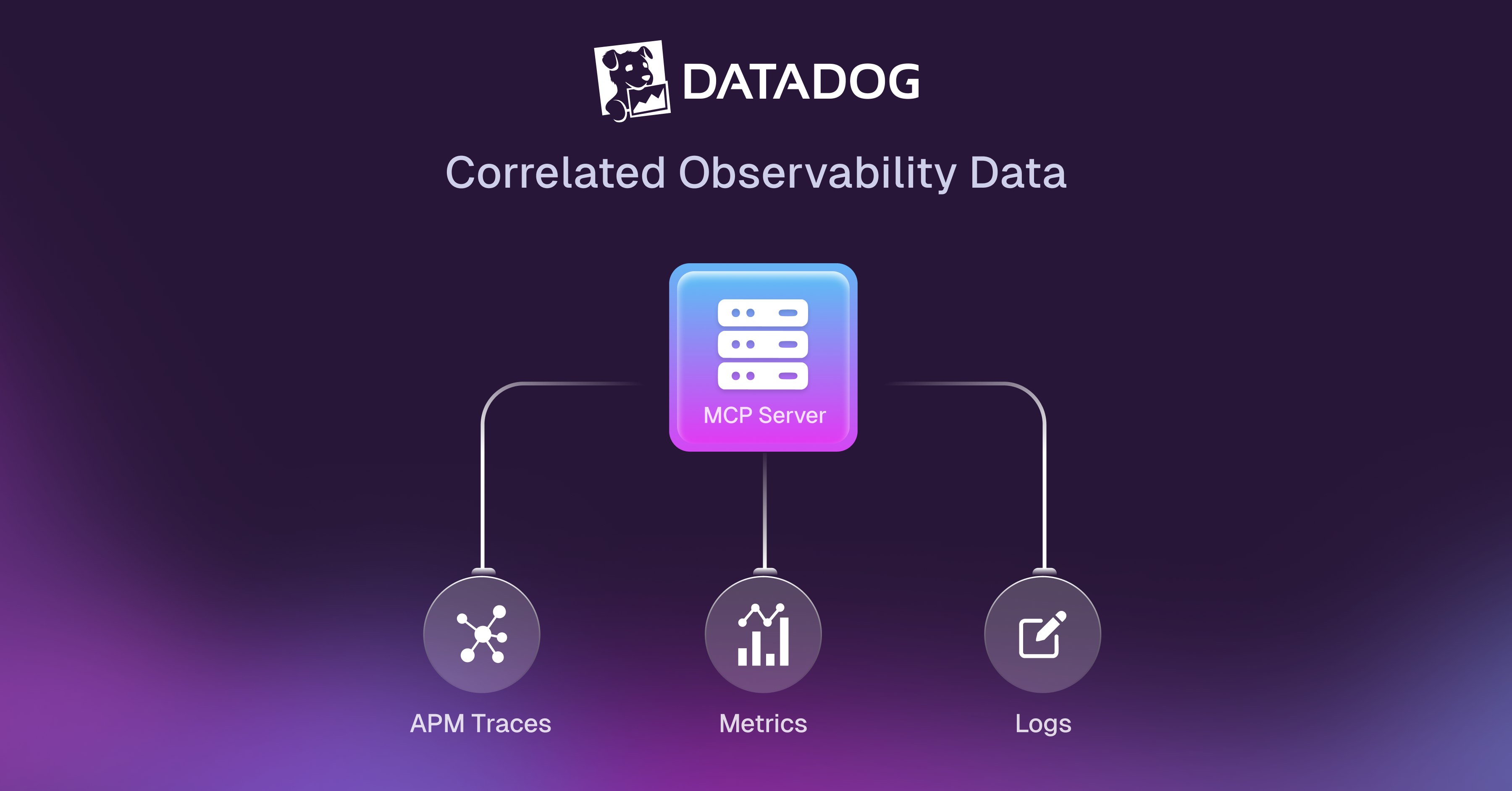
9. Datadog MCP Server

stackgen-1 The Datadog MCP Server enables platform engineers to access real-time logs, traces, metrics, and performance data directly from their development environment through natural language queries. For teams using Datadog for observability, this MCP server eliminates constant switching to the Datadog web interface during troubleshooting and incident response.

Key Features:

  • Unified Observability Queries: Access logs, metrics, traces, and APM data through a single conversational interface.
  • Intelligent Log Search: Query logs using natural language instead of complex Datadog query syntax.
  • Performance Analysis: Analyze application performance, identify bottlenecks, and correlate issues across services using AI-assisted trace analysis.
  • Alert Management: Check active monitors, acknowledge alerts, create silences, and review incident history without opening Datadog dashboard.
  • Custom Metric Queries: Retrieve infrastructure and application metrics with natural language queries that automatically generate proper Datadog query syntax.
Best Use Cases for Platform Engineers: The Datadog MCP Server excels when platform engineers need quick answers during incident response, want to correlate issues across logs, metrics, and traces without navigating multiple Datadog dashboards, or need to investigate performance degradation patterns. Platform engineers can analyze system behavior holistically, identify root causes faster through correlated observability signals, and validate that infrastructure changes haven't introduced performance regressions.

10. PagerDuty MCP Server

stackgen-1 The PagerDuty MCP Server enables platform engineers to manage incidents, acknowledge alerts, escalate issues, and coordinate incident response directly from their development environment. For teams using PagerDuty for on-call management and incident coordination, this MCP server eliminates constant switching to the PagerDuty web interface and mobile app during active incidents.

Key Features:

  • Incident Management: View active incidents, acknowledge alerts, resolve issues, and reassign incidents through conversational commands.
  • On-Call Schedule Queries: Check who's currently on-call, verify escalation policy status, and identify scheduling conflicts.
  • Incident Analytics: Review incident history, analyze response time metrics, and identify patterns in incident frequency or severity.
  • Alert Correlation: Query related incidents, group similar alerts, and reduce alert noise through AI-assisted pattern recognition.
  • Escalation Automation: Trigger manual escalations, page additional responders, or modify escalation policies during major incidents.
Best Use Cases for Platform Engineers: The PagerDuty MCP Server excels when platform engineers need hands-free incident management during active troubleshooting, want to quickly verify on-call coverage before maintenance windows, or need to coordinate incident response without interrupting focused debugging work. Platform engineers can manage their on-call rotations, review incident trends to identify systemic issues, and ensure critical alerts reach the right responders at the right time.

MCP Server Comparison Table

MCP Server Primary Use Case Enterprise Backing IDE Support Best For Maturity
StackGen MCP Infrastructure lifecycle with compliance StackGen (Active development) Claude Code, Cursor, VS Code, Windsurf, Cline Platform teams needing governance + developer self-service Production Ready ✅
Terraform MCP Infrastructure as code automation HashiCorp (Enterprise-backed) VS Code, Cursor, Claude Code Teams heavily using Terraform Production Ready ✅
GitHub MCP Repository & CI/CD workflow management Microsoft (Enterprise-backed) VS Code, GitHub Codespaces Teams using GitHub Actions Production Ready ✅
Azure DevOps MCP Microsoft ecosystem CI/CD Microsoft (Enterprise-backed) VS Code, Visual Studio Azure DevOps customers Production Ready ✅
AWS Billing MCP Cloud cost monitoring & optimization AWS (Enterprise-backed) VS Code, Claude Code, Cursor Multi-account AWS environments Production Ready ✅
Kubernetes MCP Container orchestration management CNCF Community VS Code, Cursor, Claude Code Multi-cluster Kubernetes operators Beta - Active Development 🔶
Prometheus MCP Metrics & alerting queries CNCF Community VS Code, Cursor Prometheus-based monitoring Beta - Active Development 🔶
ArgoCD MCP GitOps deployment automation CNCF Community VS Code, Cursor GitOps practitioners Beta - Active Development 🔶
Datadog MCP Unified observability platform Datadog (Enterprise-backed) VS Code, Cursor, Claude Code Datadog customers Production Ready ✅
PagerDuty MCP Incident management & on-call PagerDuty (Enterprise-backed) VS Code, Cursor, Claude Code Teams with on-call rotations Production Ready ✅


Maturity

  • Production Ready ✅: Actively maintained by enterprise vendor, stable API, recommended for production use.
  • Beta - Active Development 🔶: Community-driven with active development, suitable for non-critical workloads.
  • Alpha - Experimental ⚠️: Early stage, expect breaking changes, use for evaluation only.
Not sure which MCP servers to choose? See our complete selection guide with decision matrices for different team sizes and use cases.

Final Thoughts


MCP servers represent a fundamental shift in how platform engineering teams interact with infrastructure, CI/CD pipelines, observability systems, and incident management tools. Instead of forcing platform engineers to navigate between multiple tools and interfaces, MCP servers enable natural language interactions with critical systems directly from development environments. This isn't just convenience—it's measurable productivity improvement through eliminated context switching and faster access to critical information during routine operations and high-pressure incidents.

The platform engineering challenges these MCP servers address are universal: infrastructure deployment bottlenecks, incident response inefficiency, CI/CD troubleshooting friction, observability data fragmentation, and cost visibility gaps. Organizations implementing MCP servers report significant improvements across all these dimensions, with some teams reducing time spent on repetitive operational tasks by 40-60%.

Among the MCP servers evaluated, several stand out for different platform engineering workflows. Terraform MCP and StackGen MCP excel at infrastructure lifecycle management with different approaches—Terraform for direct IaC operations and StackGen for governance-enabled self-service. GitHub MCP and Azure DevOps MCP streamline CI/CD workflows. Kubernetes MCP, Prometheus MCP, and Datadog MCP provide powerful observability capabilities. PagerDuty MCP coordinates incident response, while AWS Billing MCP enables proactive cost management.

For platform engineering teams ready to streamline their workflows and reduce context switching, start by evaluating which MCP servers address your highest-priority pain points. Most teams see measurable results within weeks of adopting their first MCP server, with benefits compounding as additional servers integrate into daily operations. The key is starting strategically with 2-3 MCPs that solve immediate bottlenecks rather than attempting to implement all 10 simultaneously.

Frequently Asked Questions


1. What is an MCP server and why do platform engineers need them?

An MCP (Model Context Protocol) server is a standardized interface that enables AI coding assistants to interact with external tools and services through natural language commands. Platform engineers need them because they eliminate the constant context switching between IDEs, terminals, cloud consoles, monitoring dashboards, and incident management systems. Instead of running manual commands or clicking through web interfaces, platform engineers can ask their AI assistant to "deploy this infrastructure" or "show me failing pods" and get immediate results—all without leaving their development environment.

2. Which MCP servers are production-ready versus experimental?

Production Ready (Enterprise-backed): StackGen MCP, Terraform MCP, GitHub MCP, Azure DevOps MCP, AWS Billing MCP, Datadog MCP, and PagerDuty MCP are all actively maintained by enterprise vendors with stable APIs and recommended for production use.

Beta (Community-driven): Kubernetes MCP, Prometheus MCP, and ArgoCD MCP are community-driven with active development, suitable for non-critical workloads but may have occasional breaking changes.

The enterprise-backed MCPs from Microsoft, AWS, HashiCorp, Datadog, and PagerDuty receive professional support and sustained development, making them safer choices for production infrastructure workflows.

3. How do I choose the right MCP server for infrastructure provisioning?

The choice depends on your team's workflow and governance requirements:

Choose StackGen MCP if your platform team needs to enable developer self-service while maintaining governance and compliance controls. StackGen's blueprint approach lets platform engineers encode security policies once, then safely scale infrastructure access across development teams. This is ideal for organizations with 50+ developers where manual infrastructure reviews have become a bottleneck.

Choose Terraform MCP if your team is deeply invested in Terraform and primarily needs faster access to Terraform operations (state queries, plan/apply) from your IDE. Terraform MCP works with your existing Terraform codebase but focuses on accelerating experienced platform engineers' direct infrastructure work rather than enabling broader self-service patterns.

Many teams use both: StackGen MCP for governed developer self-service and Terraform MCP for platform engineers' direct infrastructure operations.

4. How do observability MCPs (Prometheus, Datadog) compare for incident response?

Prometheus MCP excels for teams already using Prometheus and Grafana for monitoring. It translates natural language into PromQL queries, making metrics accessible even to team members who don't know the query language. Best for open-source monitoring stacks and teams wanting to avoid vendor lock-in.

Datadog MCP provides unified access to logs, metrics, traces, and APM data through a single interface. It's more comprehensive than Prometheus MCP alone because it correlates multiple observability signals automatically. Best for teams already paying for Datadog who want to eliminate context switching between Datadog's various product areas during incident response.

Both eliminate the need to open monitoring dashboards during troubleshooting, but Datadog MCP offers richer correlation capabilities while Prometheus MCP provides more control and avoids vendor dependency.

5. Can I use multiple MCP servers together?

Yes—in fact, most platform engineering teams should use multiple MCP servers together. The MCPs complement each other for different workflow stages. For example:

  • Infrastructure deployment: StackGen MCP or Terraform MCP provisions resources.
  • CI/CD: GitHub MCP or Azure DevOps MCP monitors deployments.
  • Observability: Kubernetes MCP + Prometheus MCP or Datadog MCP diagnose issues.
  • Incident coordination: PagerDuty MCP manages alert escalation.
  • Cost optimization: AWS Billing MCP tracks spending impact.
A typical incident response workflow might use: Kubernetes MCP to check pod status → Prometheus MCP or Datadog MCP to analyze metrics → GitHub MCP to review recent deployments → PagerDuty MCP to coordinate team response. All from a single IDE conversation without switching tools.

6. Are enterprise-backed MCPs (Microsoft, AWS, HashiCorp) better than community options?

Enterprise-backed MCPs from Microsoft, AWS, HashiCorp, StackGen, Datadog, and PagerDuty generally offer:

  • Guaranteed long-term support and development
  • Professional documentation and troubleshooting resources
  • Stable APIs with proper versioning and deprecation notices
  • Integration with enterprise support contracts
  • Security audits and compliance certifications
Community-driven MCPs (Kubernetes, Prometheus, ArgoCD) offer:

  • Faster iteration and new features
  • Greater transparency and community input
  • No vendor lock-in
  • Free and open-source
For production infrastructure workflows, start with enterprise-backed MCPs like StackGen, Terraform, GitHub, Azure DevOps, AWS Billing, Datadog, and PagerDuty. Add community MCPs like Kubernetes, Prometheus, and ArgoCD for non-critical workflows or after your team has experience with MCP adoption.

Want more detailed guidance? See our complete MCP FAQ guide covering setup, security, troubleshooting, and advanced use cases.


About StackGen:

StackGen is the pioneer in Autonomous Infrastructure Platform (AIP) technology, helping enterprises transition from manual Infrastructure-as-Code (IaC) management to fully autonomous operations. Founded by infrastructure automation experts and headquartered in the San Francisco Bay Area, StackGen serves leading companies across technology, financial services, manufacturing, and entertainment industries.