

Share This:
At the recent June 2026 AI SRE Next community event hosted by StackGen in partnership with Inmobi & Glance, the room kept coming back to the same question: how much of the promise — AI compressing a 90-minute war room into minutes - is actually real in production today? The panel we ran with leaders from InMobi, Pocket.fm, and Pixis confirmed what we’ve been seeing with early customers: the wins are real, but they move on proof, not promises.
So we’re putting Aiden where our mouth is. Starting today, Aiden for SRE Community Edition is free to try - no sales call, no proof-of-concept NDA, no 30-day countdown. Connect your Grafana or Datadog instance, fire an alert, and see Aiden investigate and generate an RCA in the first fifteen minutes of an incident. That’s it.
Start free at app.stackgen.com. Share your experience over discord channel here or support@stackgen.com
Why Community Edition, Why Now
The AI SRE Next event crystallized something we’ve heard in nearly every enterprise conversation: teams don’t want another pilot. They want to run Aiden on a real alert, in their own environment, before they talk to anyone at StackGen. That’s completely reasonable. So we removed the barrier.
Community Edition is also our commitment to the practitioner community. SREs have been writing runbooks, building alert correlation logic, and debugging at 2 AM for years. Aiden is built for them — and they should be able to evaluate it the same way they evaluate any open-source tool: by using it.
Get Started in Under 10 Minutes
- Go to ai.stackgen.com/app/sre and create a free account.
- Use our managed Grafana.
- Trigger your first alert and watch Aiden investigate.
- Invite someone from your team to the workspace.
- Share what you find with us on LinkedIn using #AISRENext or message us directly support@stackgen.com.
Use Case 1: Automated RCA from Alert to
Slack in Minutes
This is the core workflow. An alert fires in Grafana or Datadog. Instead of routing it to a human who then starts a war room and manually correlates signals, Aiden picks it up, investigates across your observability data, identifies the root cause, and optionally routes the full RCA — with context — to Slack or PagerDuty.
The flow
- Alert fires in Grafana or Datadog
- Alert is routed to Aiden via webhook
- Aiden investigates: pulls metrics, logs, and topology context automatically
- Aiden produces an RCA with impact assessment and remediation recommendation
- RCA is optionally forwarded to your incident channel (Slack, PagerDuty)
Try it yourself - step by step
- Sign in to Aiden at ai.stackgen.com/app/sre and create a new webhook. Copy the webhook URL.
- In Grafana, add the webhook URL as a contact point under Alerting → Contact Points. Assign it to an alert rule.
- Trigger a test alert. You can use one of our pre-built demo scenarios — for example, a storage volume filling up in four days — to see a realistic investigation without putting your production environment at risk.
- Watch Aiden’s investigation trail: it shows you exactly which signals it examined, what correlations it found, and the confidence level of its RCA. No black box.
- Optionally enable Kubernetes and GitHub integrations. Aiden can generate a PR to remediate the issue — for example, increasing a PVC size for a database volume — and, once the PR is approved, run kubectl to deploy automatically via an Aiden Skill.
What you’ll see in Aiden
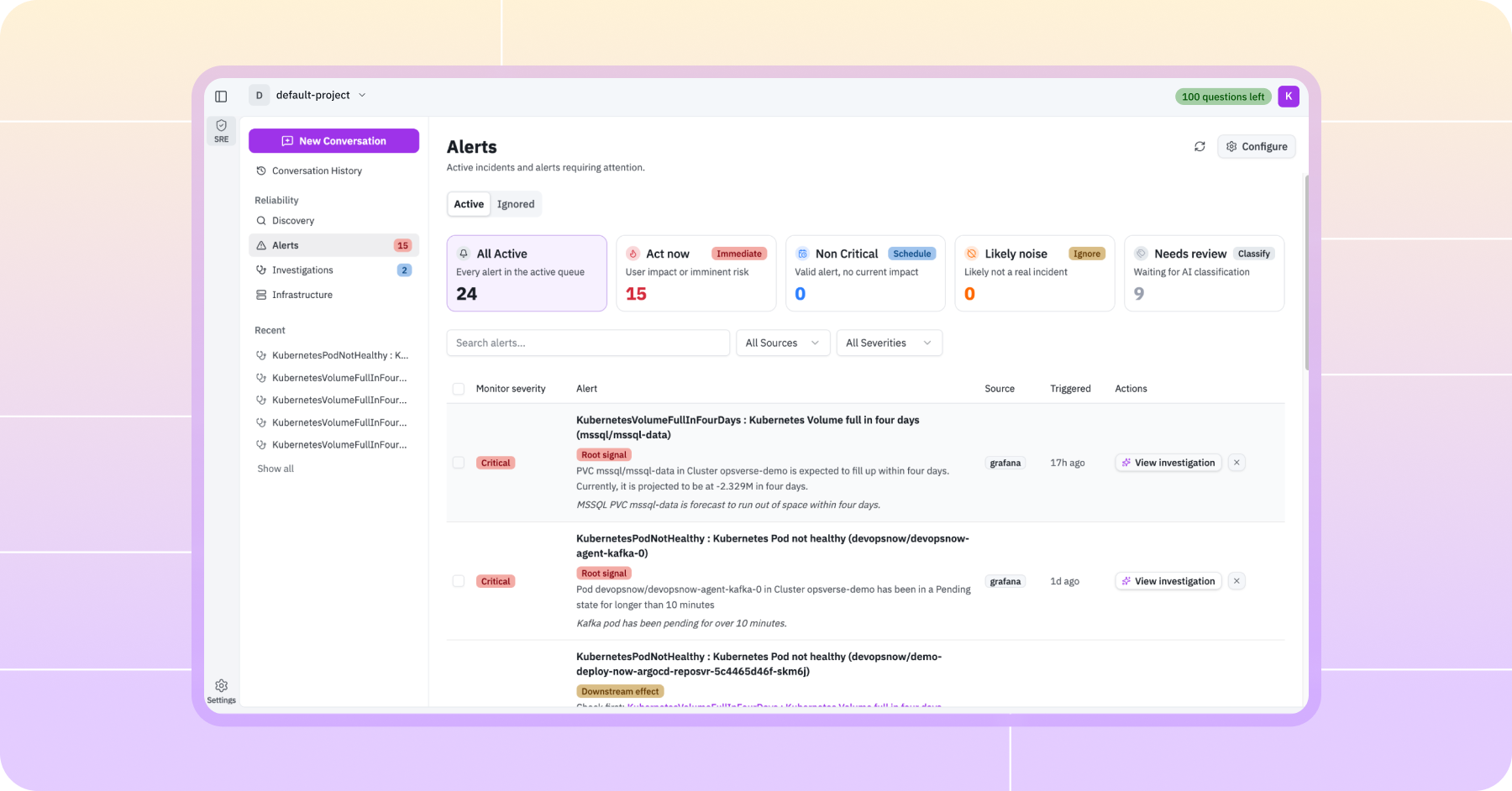
- Alert list with severity, source, and timestamp
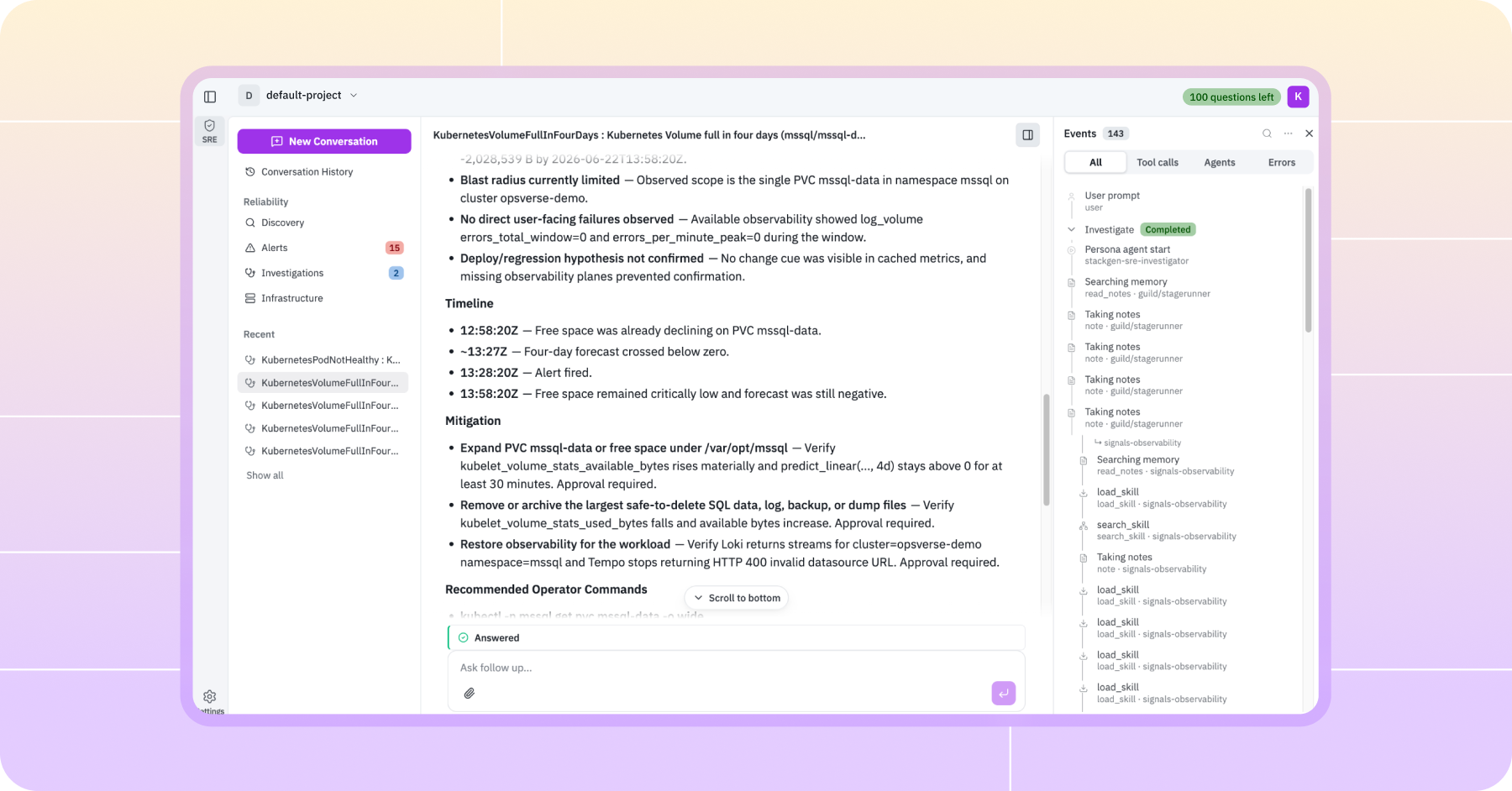
- Investigation trail: every signal Aiden examined, with reasoning
- Impact summary: services affected, blast radius estimate
- Remediation recommendation with optional automated PR generation
Use Case 2: Team Workspace for Shared SRE Intelligence
Incidents are never solo events. The second core use case in Aiden 2.0 is the team workspace: a shared environment where every investigation, historical thread, and alert is visible to the whole on-call team in real time.
Daily observability stack discovery
When you join a workspace, Aiden can automatically discover your full observability stack — what’s connected, what’s healthy, what needs attention — every day. Or you can trigger it manually. Either way, you get a living view of your SRE best practices posture: what’s in place, what’s missing, and what Aiden recommends you address first.
Shared investigation threads
Every investigation Aiden runs is visible to everyone in the workspace. New team members can scroll back through historical incident threads to understand patterns. On-call engineers can jump into an active investigation without asking “what’s the context?” You can also start new threads manually to collaborate on a hypothesis before Aiden has enough signal to run a formal investigation.
- All workspace members see investigations in real time
- Historical threads give new engineers the incident context fast
- Start a new thread manually to collaborate on early-stage incidents
- SRE best-practice recommendations update as your stack changes
Why this matters: The unglamorous work of signal quality and institutional memory is what separates useful RCA from confident noise. Shared workspace threads make that knowledge permanent.
What’s Included in Community Edition
- Sandbox environment to try out an existing Grafana instance managed by StackGen
- Team workspace with shared investigation threads
- Ability to invite one other person in your team to the workspace
- Connect one enterprise Grafana or DataDog instance
- Automated RCA investigation engine
- Impact and blast-radius assessment
- Schedule discovery of entities, infra, and SRE best-practice recommendations
- GitHub integration for remediation PR generation
- Kubernetes integration for automated deployment (with approved PR)
- Slack, PagerDuty routing for RCA notifications
Enterprise features like SSO, audit logs, advanced RBAC, and dedicated support are available on paid Aiden for SRE plans. Contact sales@stackgen.com.
If you were at AI SRE Next and heard the panel discussion on killing the 90-minute war room, this is the product. If you weren’t there, the thesis is simple: AI is already in the first fifteen minutes of real incidents at production companies. Aiden makes that available to everyone.
Inside Aiden Community Edition
Step 1: Go to ai.stackgen.com/app/sre
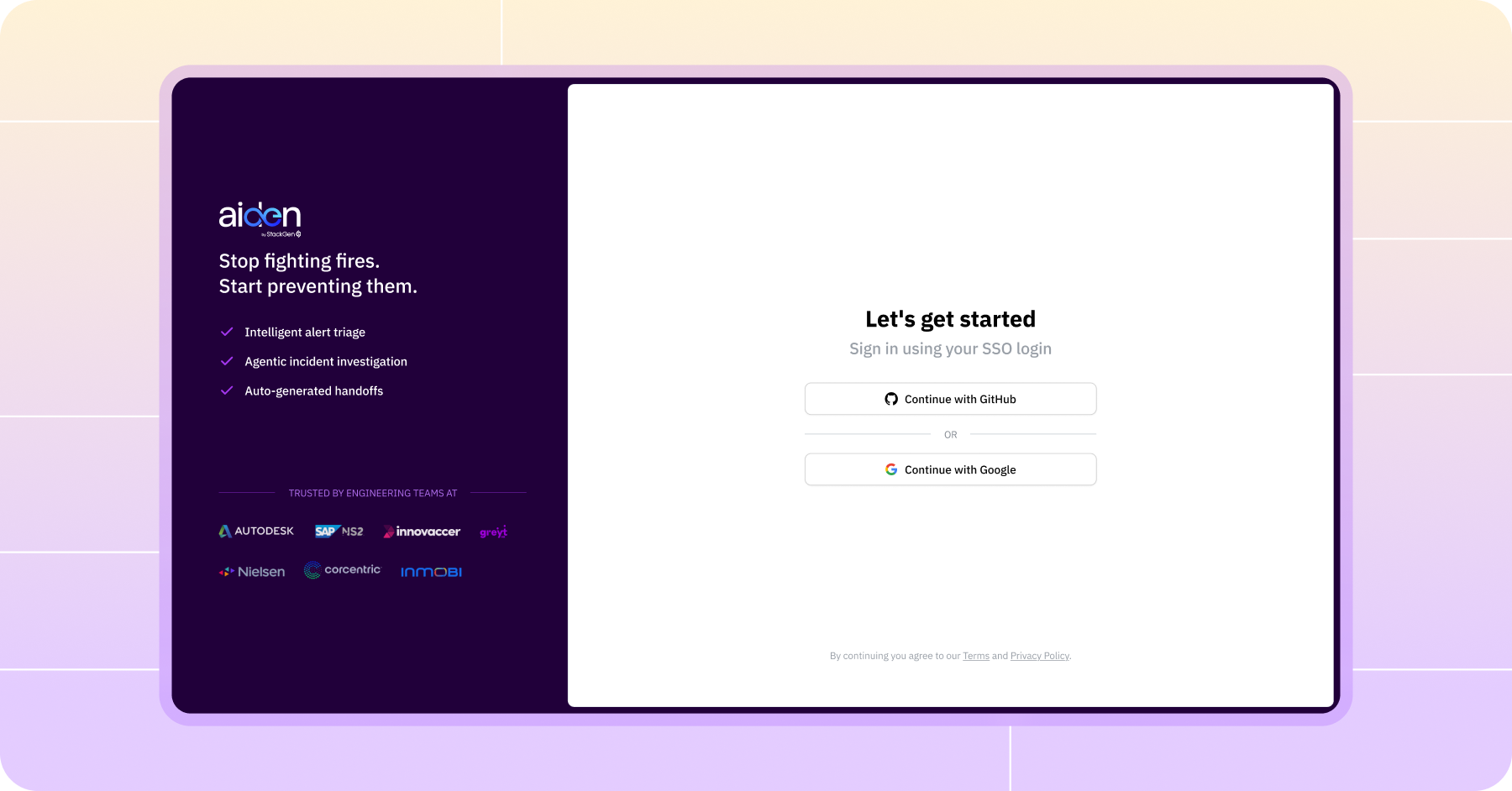
Step 2: Use your GitHub or Google email address to log in. No additional signup process required.
Step 3: Choose the Explore sandbox to start viewing the existing Grafana cluster. No setup required.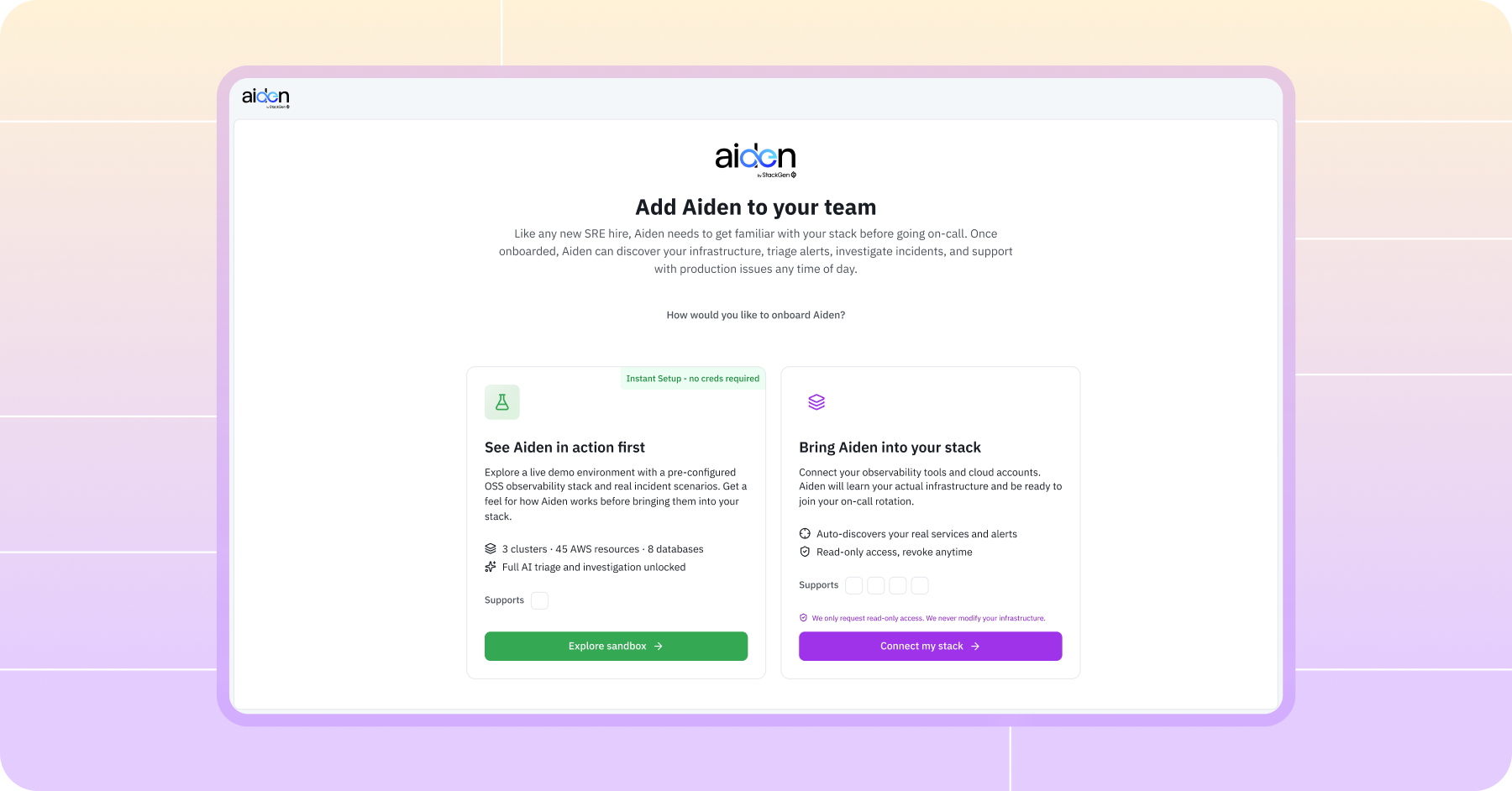 Step 4:
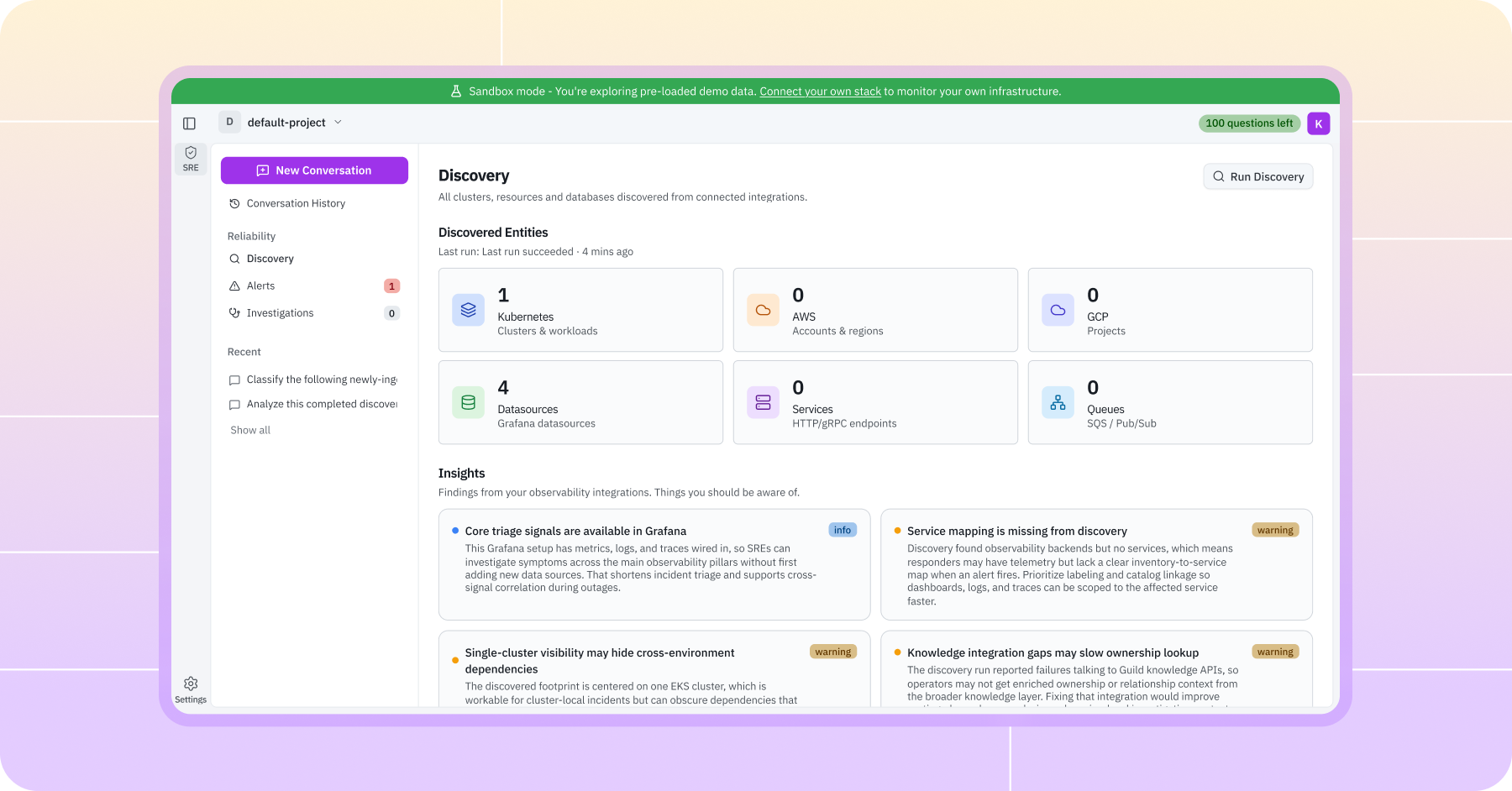
Use case #1 and #2 : If you're exploring Aiden for automated RCA, here's what you'll see:
1. Alerts seen for a Kubernetes deployment. Logs ingested by Aiden for SRE from Grafana
 2. Investigation opened by a team on a volume store getting a full alert.
3. Four different investigation threads opened by team members on the same alert.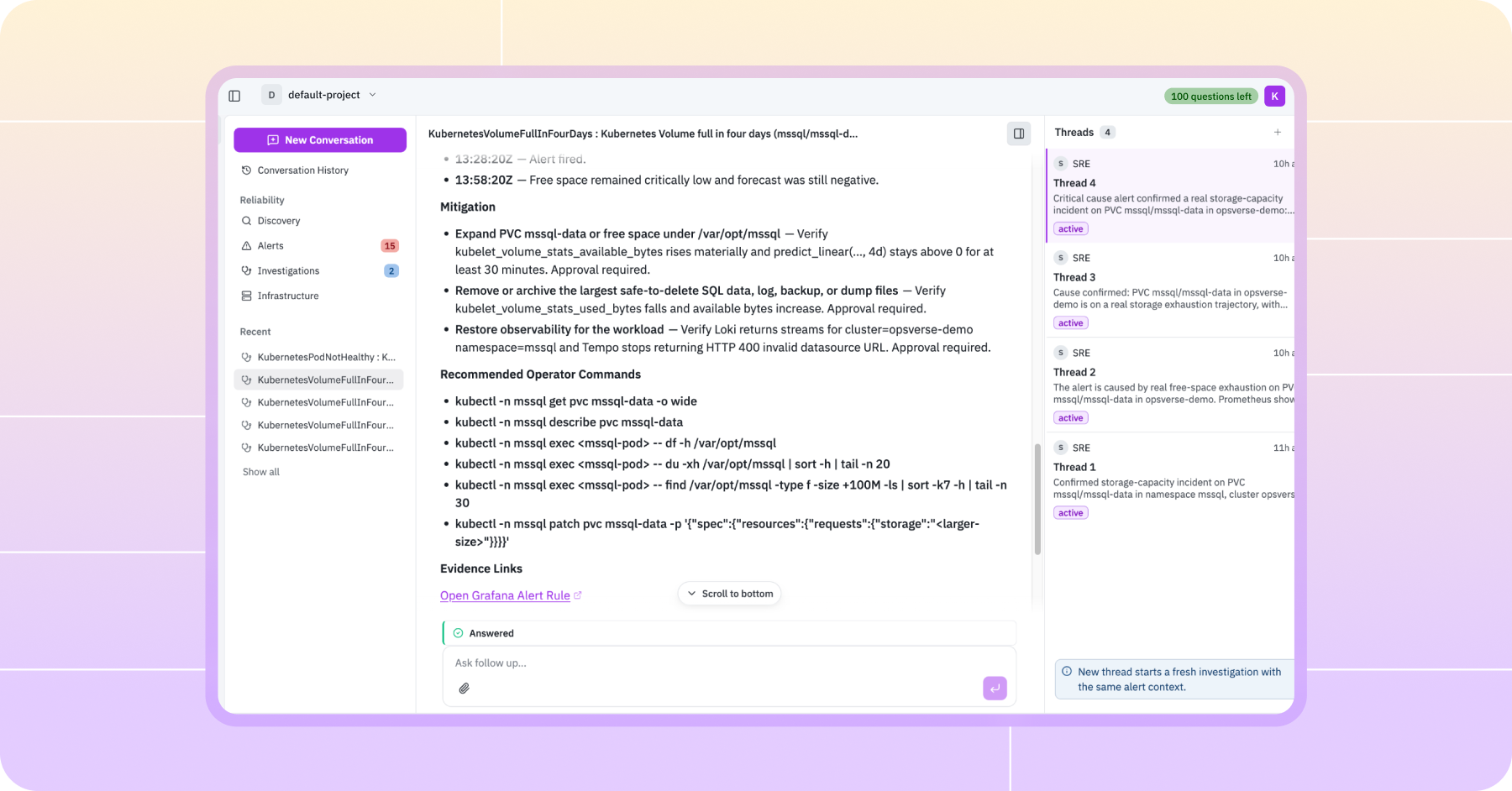
4. Best practices displayed across various teams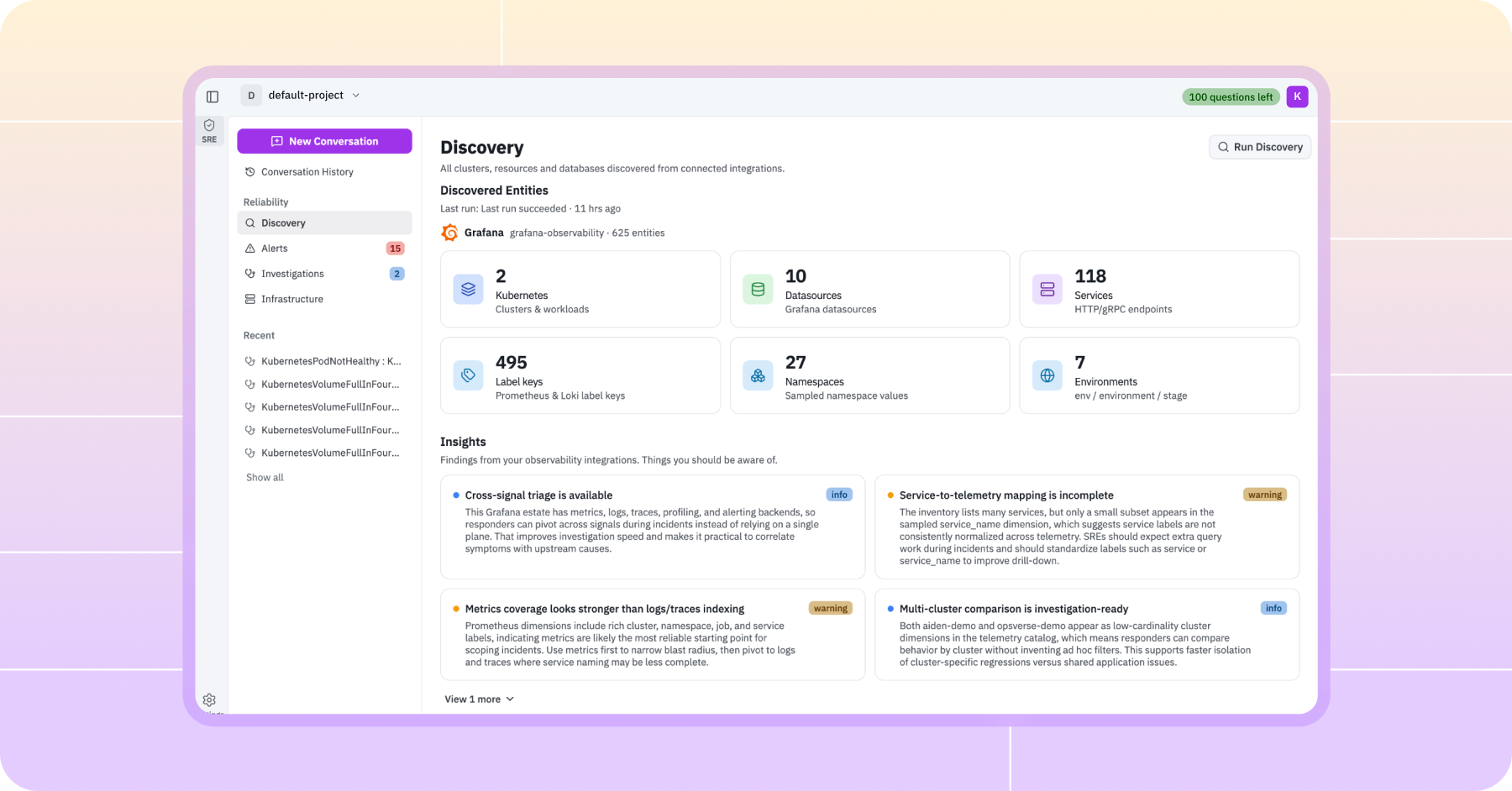
Questions? Join us in the StackGen community channel here or reach out at aisrenext@stackgen.com.